Fast, Private PDF Scanner App for Android
Scan contracts, IDs, receipts, and multi-page books into pristine A4 PDFs in under 10 seconds. Engineered with on-device machine learning, zero third-party ads, and air-gapped security.
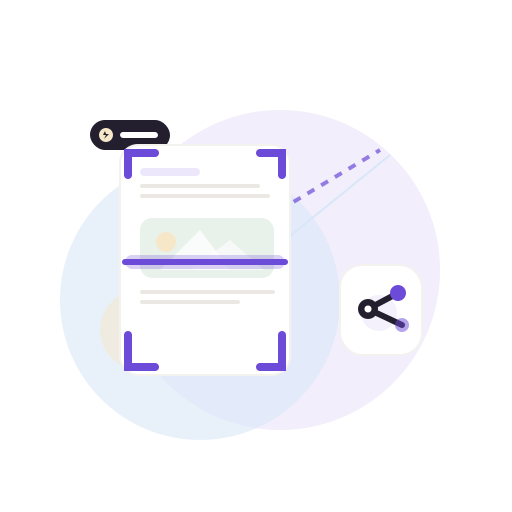
Engineered for Speed, Precision, and Privacy
Core document operations run directly on your hardware chip without remote servers.
Google ML Kit Edge Snapping
Real-time document boundary recognition that locks onto contracts and receipts automatically at 60 FPS.
Multi-Page Batch Scanning
Scan up to 50 pages continuously in a single session. Effortlessly drag, reorder, rotate, and apply contrast filters.

Dual-Side ID Card Presets
Capture driver licenses, national IDs, and badges on both sides. Formats them automatically onto a single A4 sheet.

Digital Signatures & Stamps
Draw handwritten signatures, scan physical paper ink with background removal, and stamp official ISO dates.

All-in-One PDF Utilities
Merge multiple PDFs, split page ranges, compress file sizes, and export scans to editable Word (.docx) formats.

Private AES Vault & Recovery
Lock sensitive medical and financial records behind a 4-digit PIN. Soft-delete trash protects files for 30 days.
Android Technical Architecture Specifications
Hardware-accelerated mobile implementation details.
Scanner Engine
Google ML Kit Document Scanner (Native On-Device C++/GPU)
PDF Standards
ISO 32000 A4 compliant rendered at 200 DPI downscaling
Air-Gapped Offline
Core scanner operates 100% offline without network permission
Storage Sandbox
Sandboxed private app directory with sub-5ms MMKV indexing
Android Compatibility
Android 8.0 Oreo through Android 15 on phones & tablets
Zero Ads Guarantee
Zero third-party trackers, no banner popups, and no watermarks
The 10-Second Workflow
From paper on your desk to a clean shareable PDF in 4 simple taps.
Point & Snap
Point camera at any invoice, contract, or receipt. ML Kit automatically snaps corners.
Contrast Magic
App automatically cleans paper shadows and boosts contrast for laser-sharp black ink.
Compile ISO A4
Renders standardized A4 PDF bytes locally on device in under 2 seconds.
Share Anywhere
Send directly through WhatsApp, Gmail, Slack, or local files with no watermarks.
Frequently Asked Questions (Android)
Common questions about device compatibility, permissions, and security.
What Android versions are supported by ScanOrbit?
ScanOrbit supports Android 8.0 (Oreo / API Level 26) and all newer Android versions, including Android 14 and 15.
What permissions does ScanOrbit request on Android?
ScanOrbit requests CAMERA permission strictly to stream live camera frames to Google ML Kit for edge snapping. Gallery import is optional. The app completely excludes location, contacts, and microphone permissions.
Is the core scanner 100% functional offline?
Yes. The edge detection, image perspective correction, filters, and PDF generation run entirely on your phone processor. You can scan in Airplane Mode with zero network access.
Does ScanOrbit put watermarks on my generated PDFs?
Never. Every PDF created by ScanOrbit is completely watermark-free, pristine, and ready for official business, legal, or university filings.
Ready for Fast, Private Document Scanning?
Download ScanOrbit on Google Play free today, or test directly in your browser.